Airbnb listing photos.
Make every view useful.
Help guests understand your stay with a clear cover and complete room views.
Try the cover crop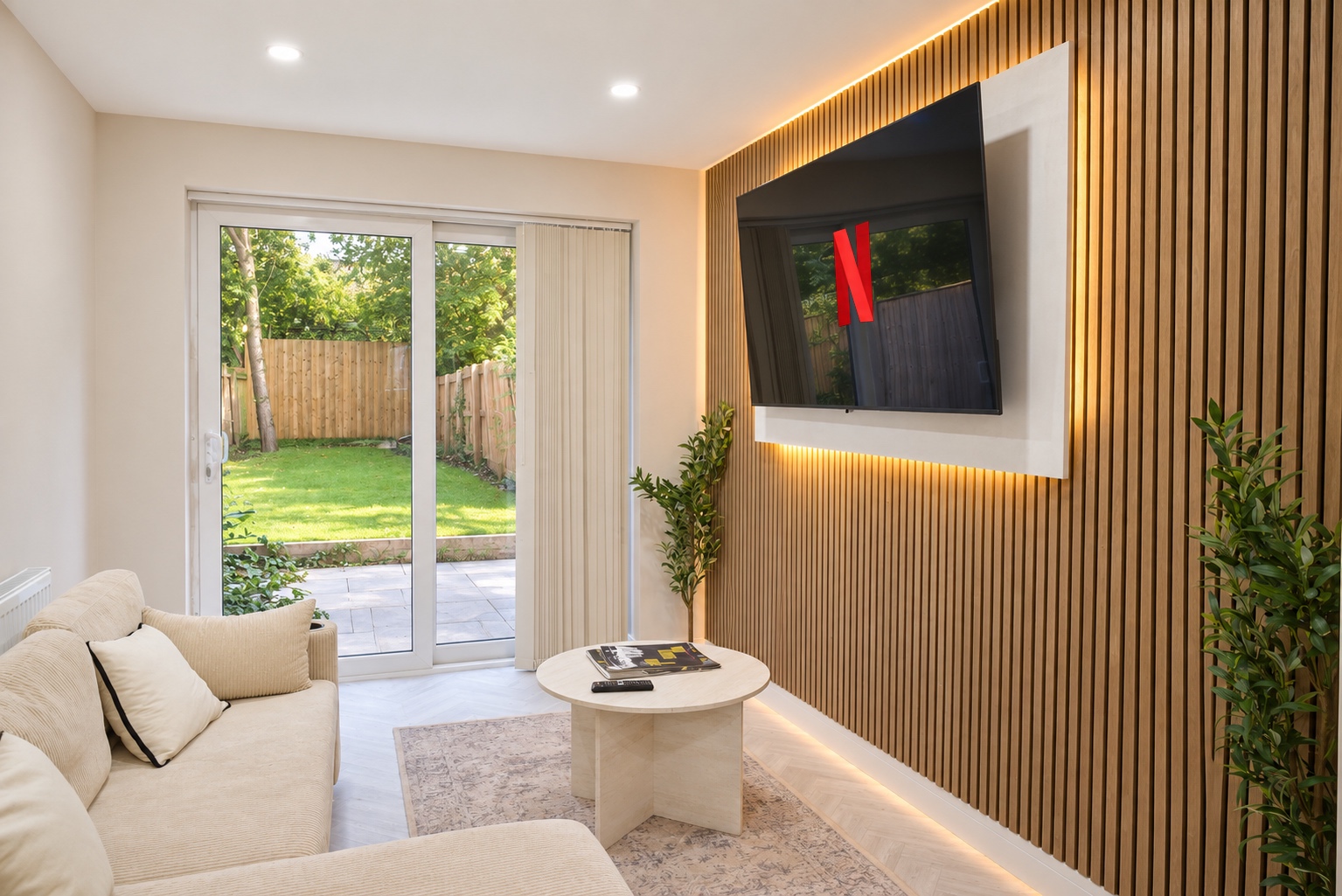

- Build around the actual stay
- Show every guest space, sleeping arrangement and useful amenity.
- Test the opening images
- Check the cover crop and use the next images to add new information.
- Improve a live listing
- Update inaccurate or incomplete photographs and keep a record of changes.
In this guide
Start with the questions a guest needs answered
Your gallery should explain the stay. Attractive corners alone can leave the layout, facilities and sleeping arrangements unclear.
- Where will everyone sleep?
- Can the group eat together?
- Is the garden private or shared?
- What does each bathroom contain?
Give every bedroom and bathroom a place in your room list. Add living and dining spaces, the kitchen, exterior and outdoor or shared areas guests can use.
Record features that need context: a sofa bed, stairs, a desk or parking. Our room-by-room photo checklist turns that list into a shoot brief.
Airbnb, serviced accommodation and short lets are a core focus of our Cardiff property photography. Approved for Airbnb’s Pro Photography programme. A direct LUMORIA booking is a separate commission from an Airbnb-arranged shoot.
What Airbnb says about photos and search
Photos contribute to listing quality. Airbnb also considers popularity, price and location when ordering results. Its guidance says strong media can attract attention and improve engagement, which can help ranking.
Results are personalised, so your own search position is not a universal rank. Read Airbnb’s explanation of search results.
A complete launch gallery is sensible preparation, not a ranking guarantee. Guests still need bookable dates, an accurate description, appropriate settings and a total price that fits the stay.
Before your first listing goes live
Photograph the accommodation you will offer. Finish repairs, put the actual furniture in place, clean the property and make beds with the supplied linen.
Allow time to receive, review and organise the photographs before launch. Confirm that timetable with the photographer.
- Match the listing. Photographs, bedroom count and sleeping arrangements should agree.
- Show amenities in context. Include room to sit at a workspace, or the boundaries and access of an outdoor area.
- Show available facilities. A hot tub you plan to buy is not yet a listing feature.
- Arrange access. Confirm keys, parking, building entry and permission for shared spaces.
Use photographs alongside the title, description, amenities and room information. Read Airbnb’s listing-page guidance.
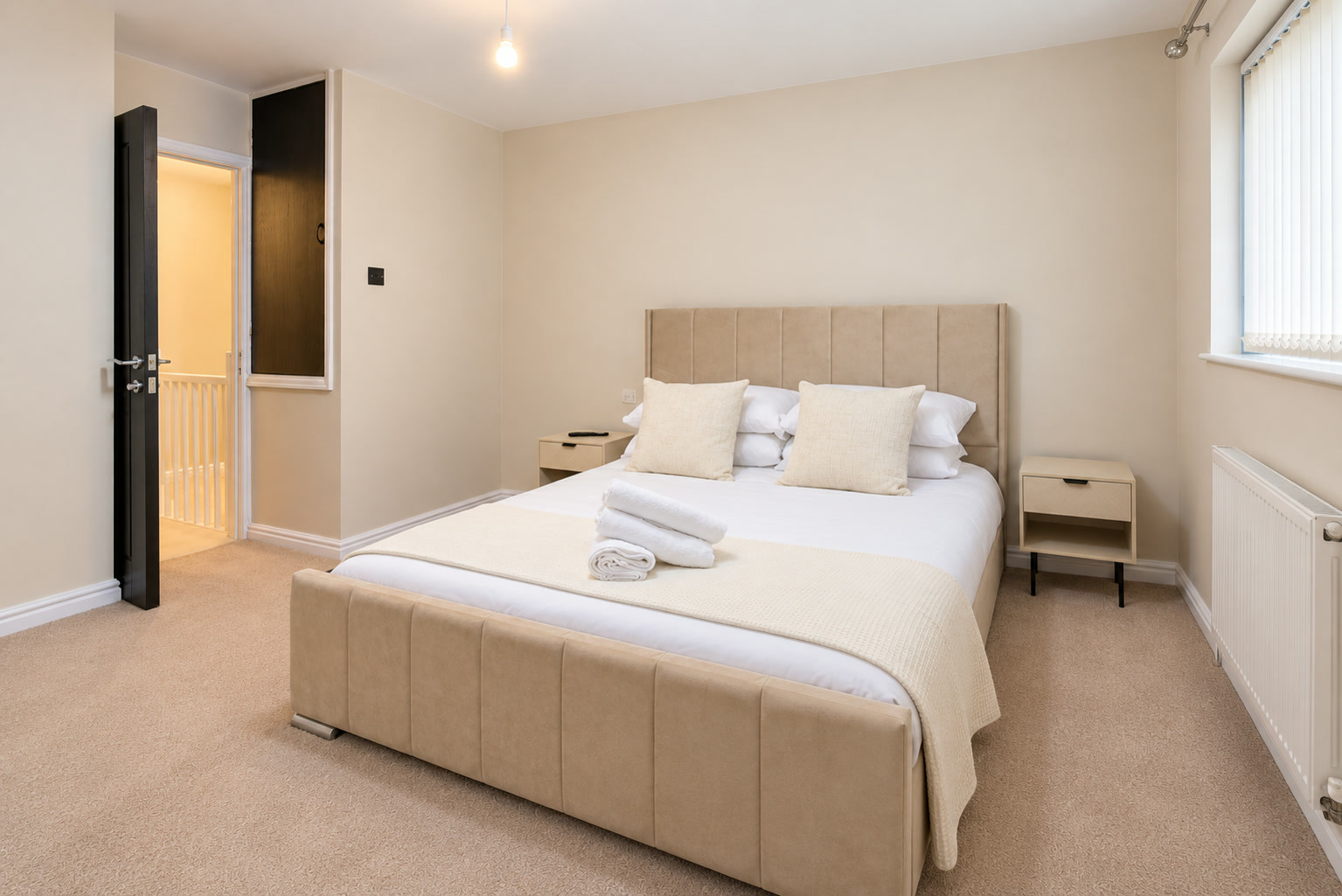
Choose a cover that explains a reason to stay
Choose a real feature that reads clearly when small. It might be the main living room, a distinctive bedroom or an outdoor space included in the stay.
Compare two or three candidates at phone size. Check the subject, natural room proportions and whether the crop keeps the important feature in view. The largest room is not automatically the best cover.
Does your cover still explain the room?
Try a tighter crop. Check that guests can still see:
- the seating
- the garden access
- the space between them
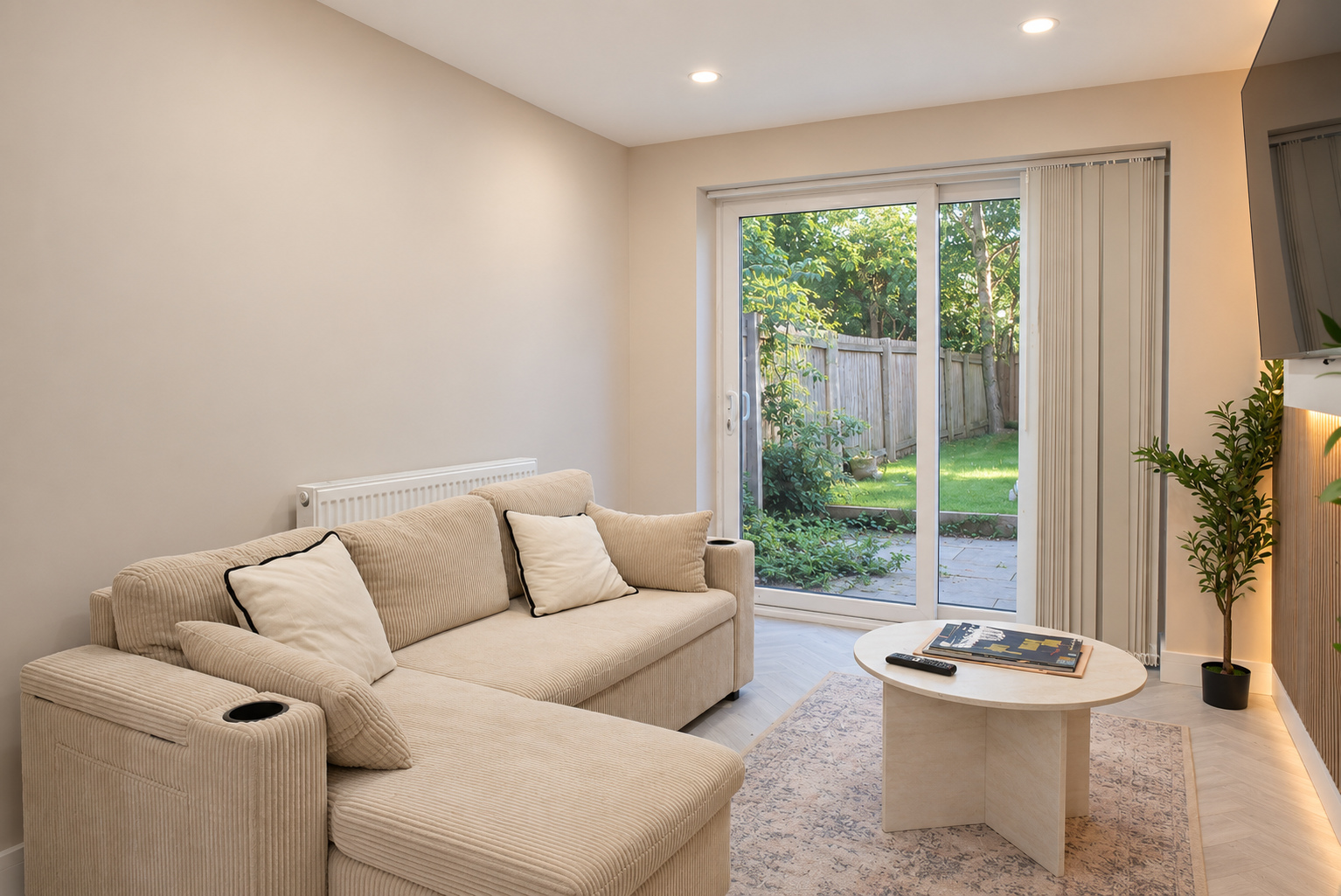
The full photograph shows the seating and the connection to the garden. Check the actual search and listing previews after uploading your own cover.
Give the first five photographs different jobs
Airbnb gives the first five images prominent placement and uses the first image in search. Read Airbnb’s photo-tour and cover guidance.
Use this opening sequence as a starting point, adapted to what your property offers:
Cover
Show a clear reason this stay could suit the guest.
Main space
Explain a living or sleeping space the cover has not shown.
Sleeping arrangements
Show the beds and room setup, especially for groups or families.
Practical space
Fill a gap with the kitchen, dining area or bathroom.
Distinctive feature
Show a real garden, workspace, terrace or other useful feature.
This is our suggested order, not an Airbnb rule about the fifth room. A studio may need an angle showing how sleeping and sitting share the room. An apartment may need its second bedroom earlier.
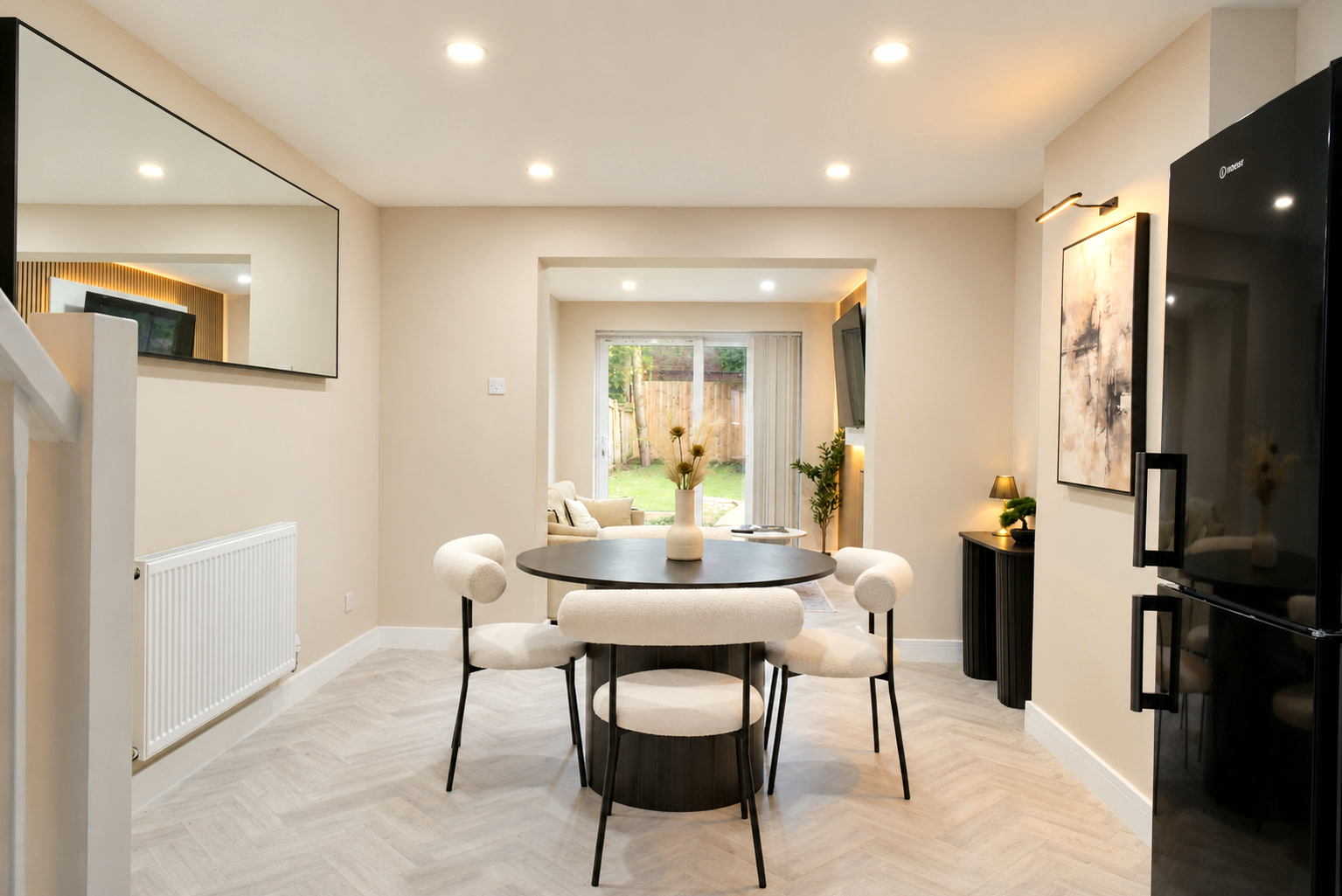
Organise the rooms, captions and visual descriptions
Build a complete photo tour, then check the assignments. Airbnb asks for at least one photograph per room or space for it to appear in the tour, with files of at least 1024 × 683 pixels.
You can review and change the automatic sorting. Check Airbnb’s photo-tour requirements.
- Main views explain the room. Add another angle for storage, an en-suite doorway or a dining connection.
- Room names distinguish similar bedrooms. Keep them factual and consistent with the listing.
- Captions resolve missing context. Use checked details such as “Bedroom two, upstairs, with a double bed” or “Shared courtyard, accessed through the side gate”.
- Visual descriptions explain what is visible. Support screen-reader users and people browsing without loaded images; do not guess measurements or accessibility.
Place decorative details after the useful room views. Read Airbnb’s visual-description guidance.
Already live? Refresh the gaps you can identify
Start with repeated guest questions, outdated rooms and missing coverage. A shower photograph answers a bathroom question; another lounge angle does not.
Make a short change list: a missing bedroom, clearer cover crop, current bathroom or caption explaining shared space. Decide whether you need a full gallery or a focused refresh.
Our photography value guide helps weigh that choice against your costs.
Review what guests actually see
Preview the published listing on a phone and larger screen. Check the cover, opening group, room assignments and captions, including shared facilities and restrictions.
Airbnb requires photographs and descriptions to stay accurate and current. Read Airbnb’s listing responsibilities.
- Keep the previous gallery and record the change date.
- Review views, enquiries and bookings using the information your account provides.
- Record the context: price, available nights, minimum stays, reviews and local events can also affect demand.
A busier month alone cannot identify the effect of a new cover. When your room list is ready, see the photography price for your property. The same brief carries through to booking.